
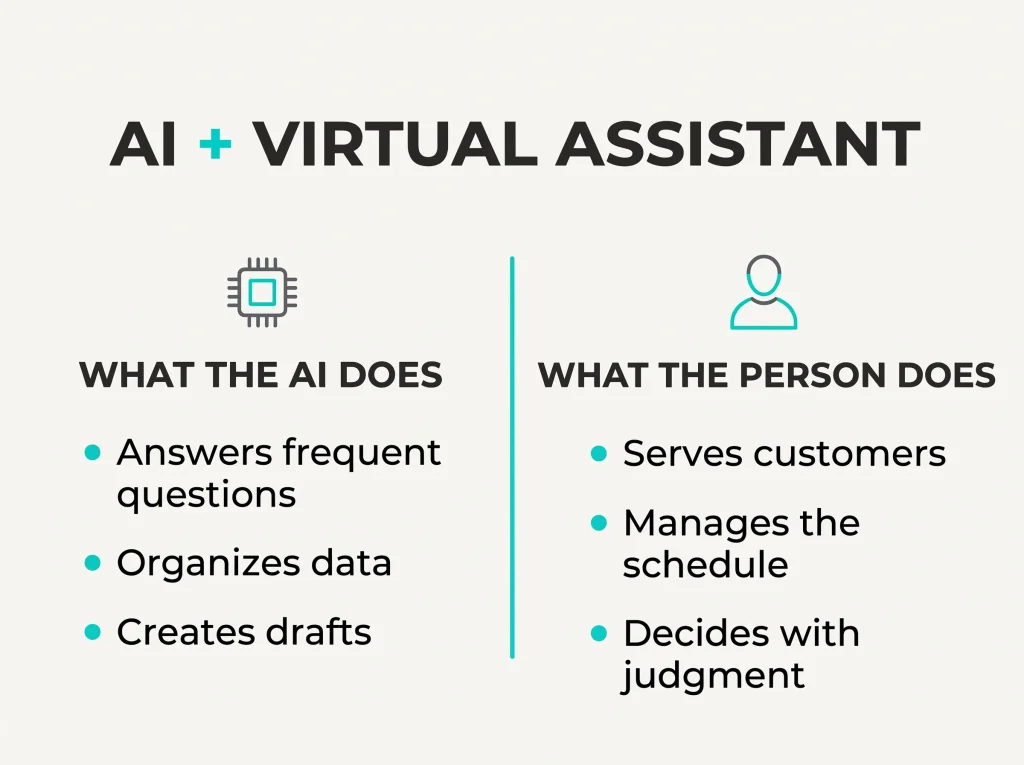
The question is no longer whether to use artificial intelligence or a person. Most companies will use both. The useful question is a different one: within each task, which part should be automated and which part needs someone with judgment. If you’re still weighing the two options in general, start with our comparison of AI vs. human virtual assistants. This guide goes a step further: the concrete split, process by process.
The rule for splitting the work: fixed rules or judgment
Before looking at each process, it helps to have a simple filter. For each task, ask yourself four questions:
- Does it always follow the same steps? If so, it’s a candidate for automation.
- Is an error easy to spot and cheap to fix? If a mistake goes unnoticed or is costly, it needs a person reviewing it.
- Does it require context or a relationship with someone? Clients, vendors and special cases call for human judgment.
- Does it change often? What changes every week automates poorly, because the automation has to be rebuilt each time.
If a task follows fixed rules, has errors that are easy to spot and doesn’t depend on a relationship with anyone, automate it. If it needs judgment, context or a personal touch, delegate it. And you’ll almost always find that the same task has both parts.
The split, process by process
- Automate: sorting and labeling, acknowledgment replies and templates for repeat questions.
- Delegate: deciding what’s urgent, replying to key clients and writing responses that require judgment or tact.
Calendar
- Automate: confirmations, reminders and booking links so others can schedule time with you.
- Delegate: resolving scheduling conflicts, prioritizing which meetings matter and coordinating meetings across several people.
CRM and data
- Automate: capturing form submissions, creating records and flagging duplicates.
- Delegate: adding the information that doesn’t come through a form, like the context of a call, and cleaning up ambiguous records a rule can’t resolve.
Customer support
- Automate: FAQs, after-hours replies and the first sorting of requests.
- Delegate: complaints, exceptions and upset clients. That’s where a wrong answer costs more than a slow one.
Sales prospecting
- Automate: follow-up sequences and contact data enrichment.
- Delegate: qualifying leads, personalizing the first contact and deciding when it’s worth proposing a meeting.
Reports
- Automate: data extraction, consolidating sources and dashboards that update themselves.
- Delegate: checking that the numbers make sense, spotting what doesn’t add up and summarizing what matters for decision-makers.
Invoicing and collections
- Automate: recurring invoices and payment reminders.
- Delegate: reconciling discrepancies and handling overdue payments, where how you treat the client matters as much as the amount.
The missing piece: who looks after the automation
Automations don’t look after themselves. A form changes a field and the CRM stops receiving data. A template goes out of date and keeps being sent. A workflow fails silently for weeks. The more you automate, the more important it is that someone checks everything is still working.
That’s one of the most valuable roles a virtual assistant can play in an AI-powered operation: reviewing what the automations produce, handling the exceptions the system can’t manage and flagging when something stops working. AI handles the volume; the person makes sure the volume comes out right.
How to start splitting the work in your operation
- List your tasks. If you don’t know where to start, a time audit shows you how many hours your team loses to admin tasks and on which ones.
- Run each task through the four questions. Split it into the fixed-rules part and the judgment part.
- Automate the simple things first. Start with high-volume, low-risk tasks, and check the results before going further.
- Give your assistant the exceptions and the oversight. Whatever the automation can’t handle, plus making sure everything keeps working.
To see the full range of work a person can take on, check out what tasks a virtual assistant can do.
Frequently asked questions about AI and virtual assistants
Will AI replace virtual assistants?
Not for tasks that require judgment, context or relationships with people. What does change is the mix: as you automate the repetitive work, the assistant’s role shifts toward exceptions, oversight and client relationships.
Can my virtual assistant work with the AI tools I already use?
Yes. The assistant works within the processes and tools your company defines, including any automations you already have running.
What should I automate first?
High-volume tasks with steps that never change and where errors are easy to spot. They free up the most time with the least risk.
Want to know which part of your operation an assistant could take on? Get your proposal in 24 hours with AVO.
Utiliza las teclas de flecha arriba y abajo para cambiar el tamaño del panel de la caja meta.